Create a contract
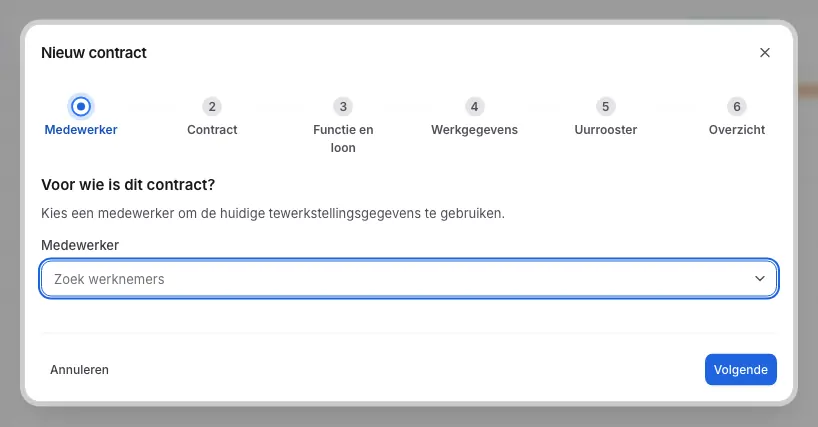
- Go to Administration → Contracts and choose New contract. From an employee, open their Contracts tab instead.
- Employee: choose who the contract is for.
- Contract: choose the contract type and the period, and whether Dimona is declared automatically, manually or not at all.
- Job & pay: the job and the wage.
- Work details and Schedule: where and when the employee works.
- Review: check everything and choose Create contract.
The employee is notified when the contract is ready to sign, in the app or on the kiosk.
Common questions
Section titled “Common questions”Vesta asks me to confirm before creating the contract
Vesta asks for a confirmation when something looks unusual, such as a very high wage or a period that overlaps another contract. Check the value; continue only if it is correct.
Can I reuse a previous contract?
Yes. Open the contract and choose Duplicate contract, then adjust the period or details.
The employee has not signed yet
They sign in the app under Profile or on the kiosk at work. How employees sign.