Find your way around the portal
Choose the right workspace for the task in front of you.
Step 1 of 3
Start with your dashboard
Open Dashboard to see your starting point for the day.
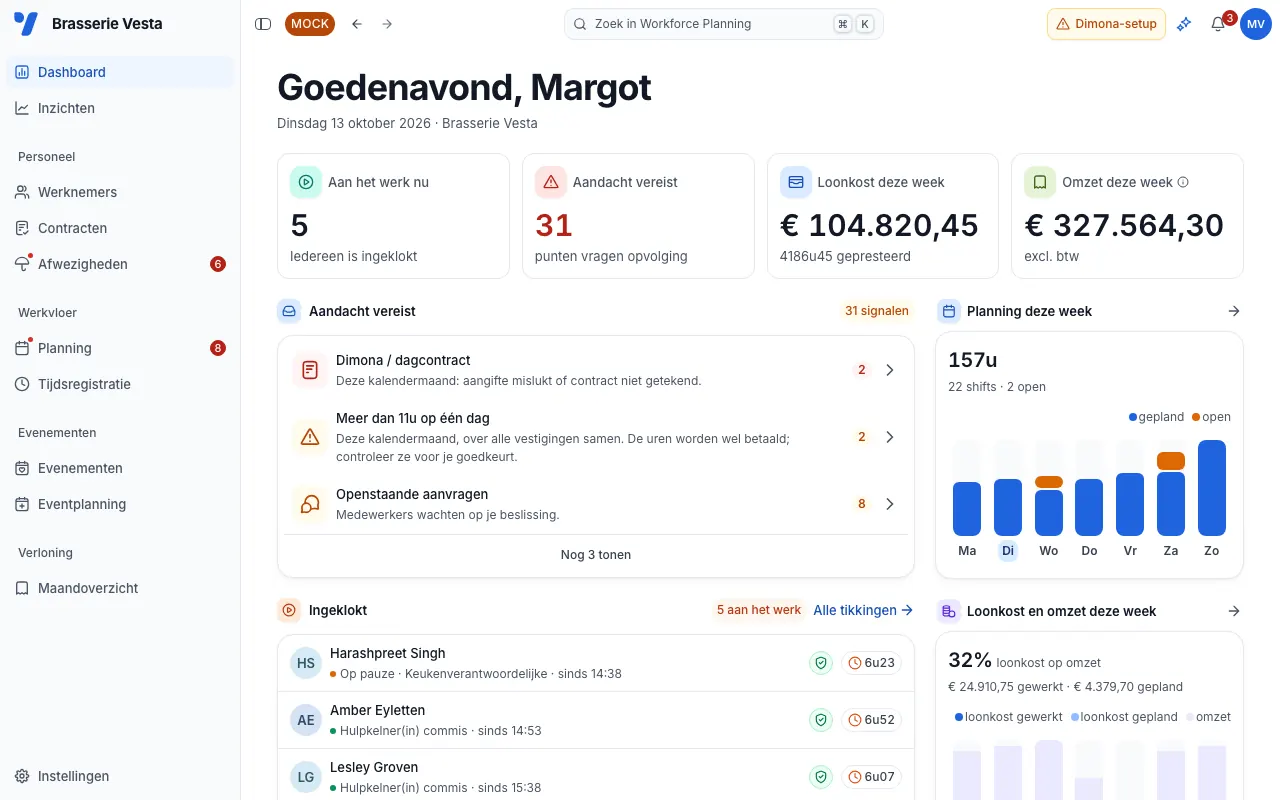
You can choose the work that needs your attention.
Step 2 of 3
Find your team
Open Employees under Staff in the sidebar.
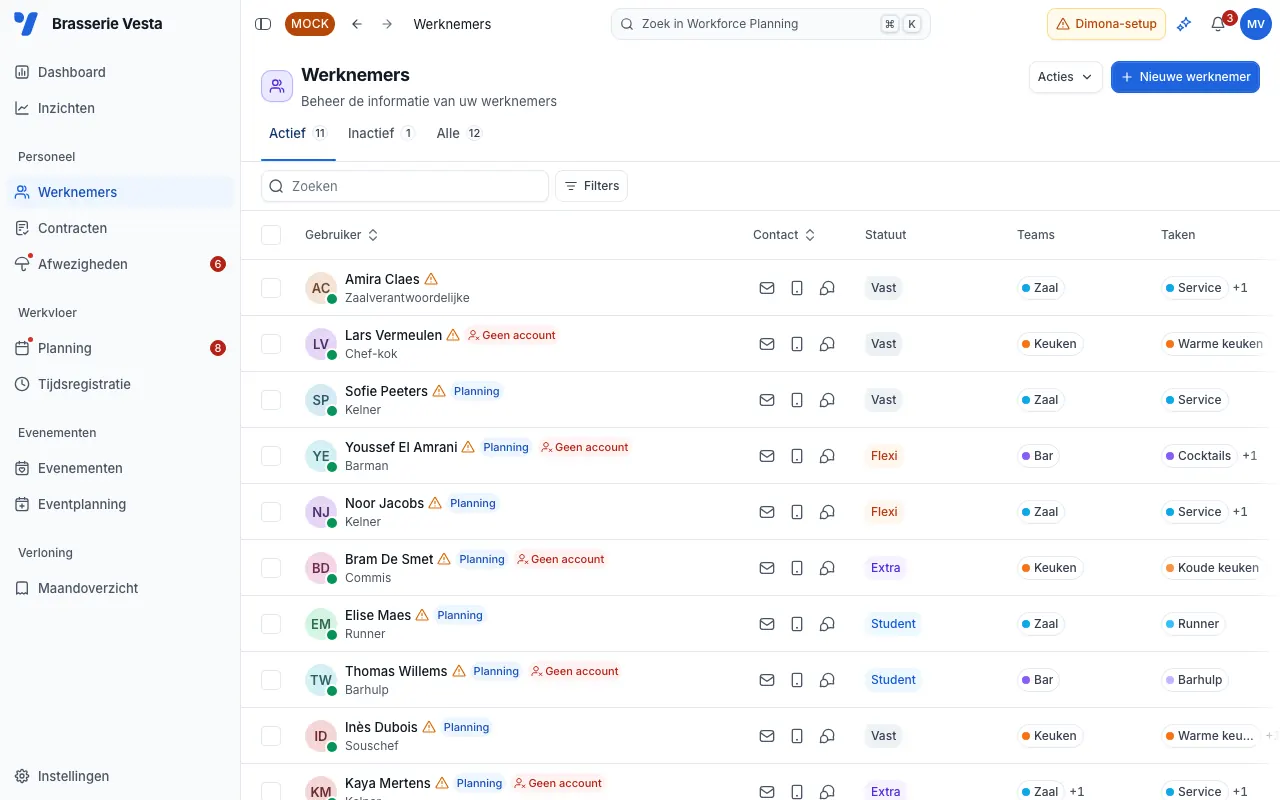
Employee records are grouped in one list.
Step 3 of 3
Find the schedule
Open Planning under Operations in the sidebar.
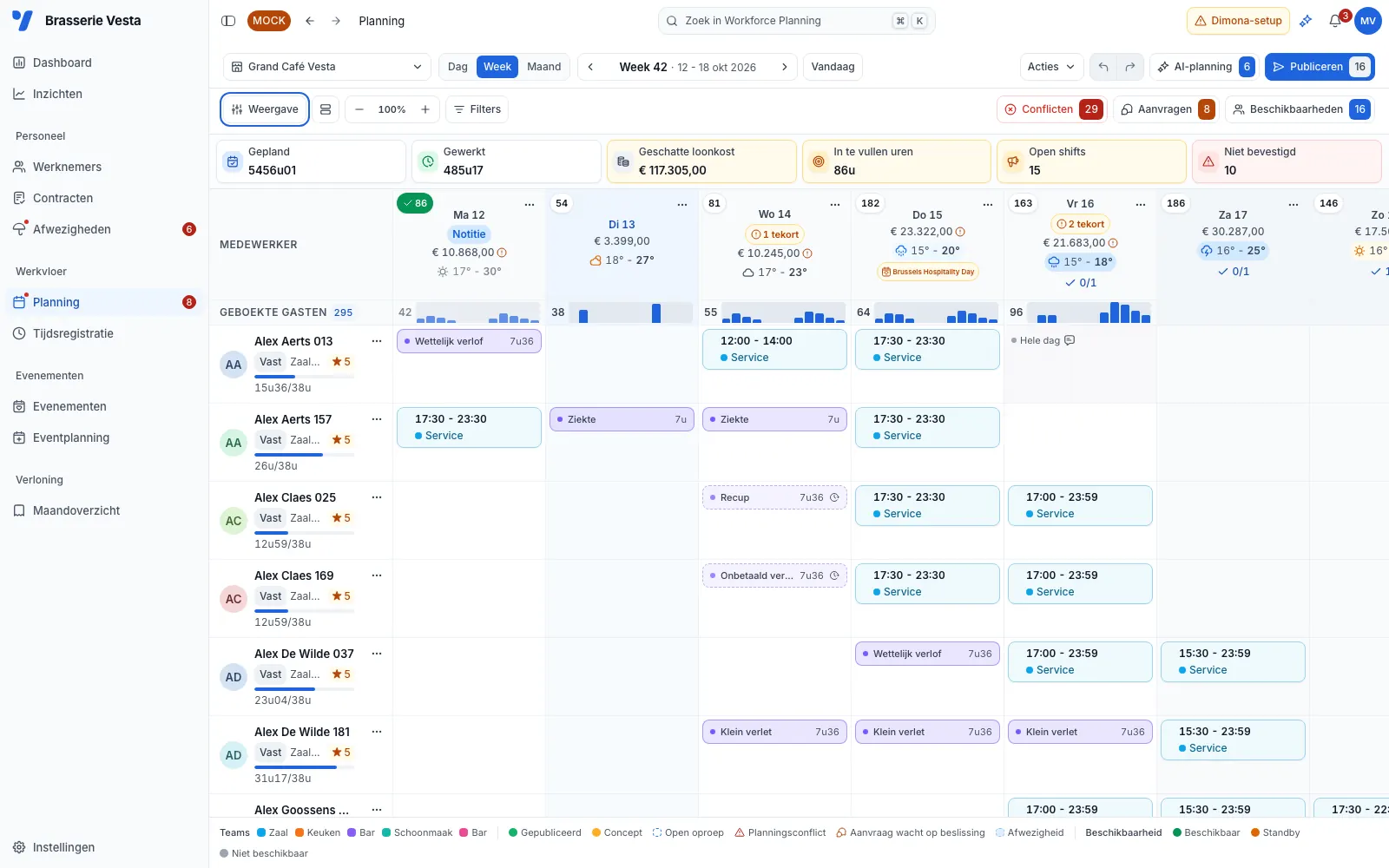
The planning board shows your team’s shifts.
Continue with planning and availability.