Install the kiosk
The kiosk turns a tablet or computer at your workplace into a shared time clock. Your team clocks in and out on it with a QR code or a personal PIN.
Connect a kiosk
Section titled “Connect a kiosk”Step 1 of 4
Open the kiosk setup
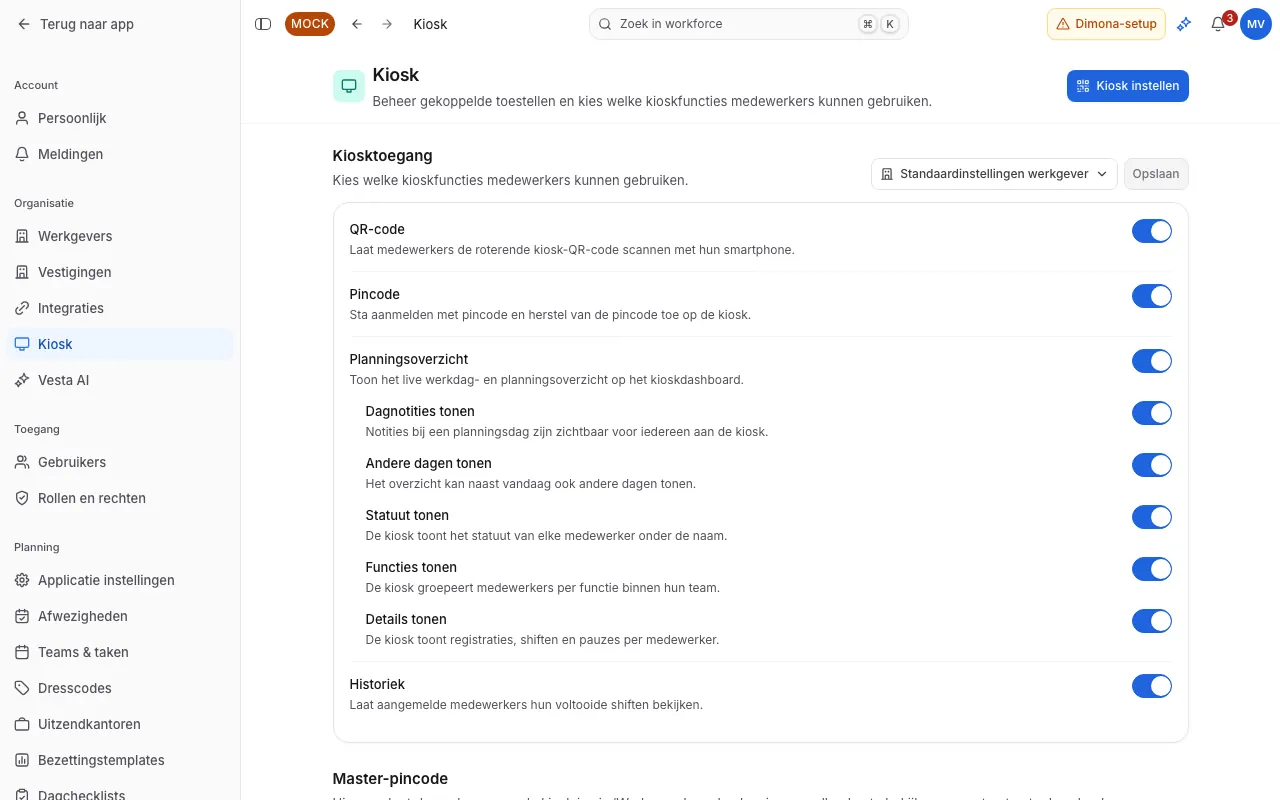
In the employer portal, go to Settings → Kiosk and choose Set up a kiosk. You can also start from Install kiosk on your dashboard.
Step 2 of 4
Choose the location
Pick the establishment or event where the kiosk will stand.
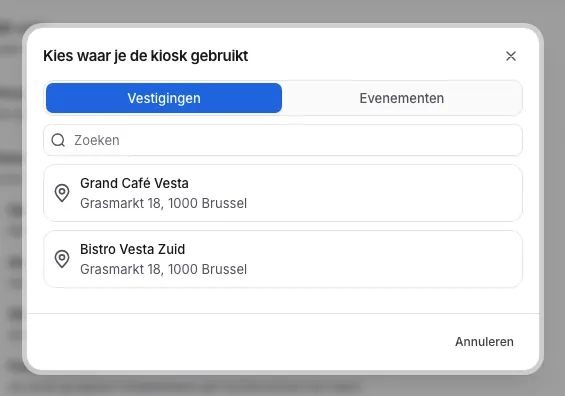
With a single establishment, Vesta picks it for you and skips this step.
Step 3 of 4
Connect the device
On the kiosk device, scan the QR code with its camera, or open the kiosk link and enter the setup code. Setting up the computer you are using? Choose Open kiosk on this computer.
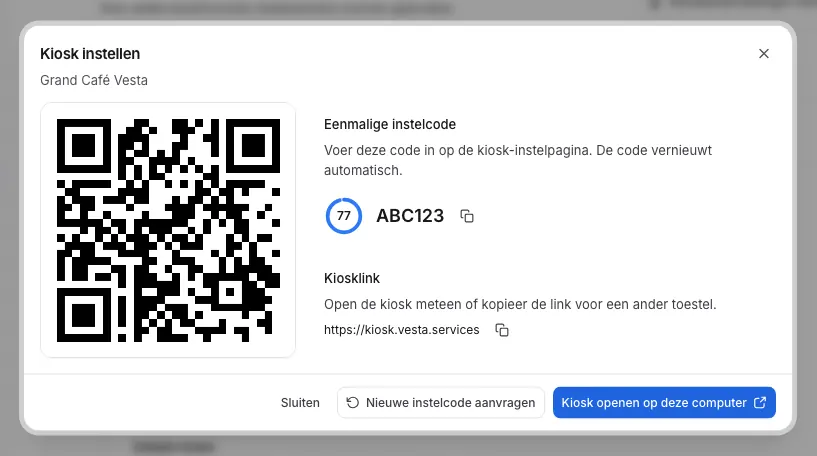
The code renews automatically. Expired anyway? Choose Request new setup code.
Step 4 of 4
Enter the code on the kiosk
Opened the kiosk link? Type the six-character setup code. With the QR code, the kiosk fills it in for you.
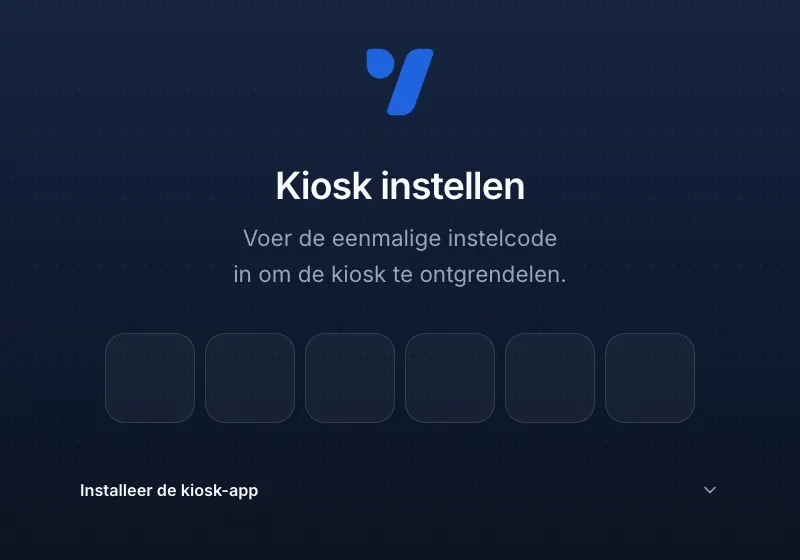
The portal confirms Kiosk set up successfully and the kiosk opens the workday board.
Choose what your team can do
Section titled “Choose what your team can do”Under Kiosk access on the same page, choose what employees can use:
- QR code: employees scan the rotating kiosk QR code with their phone.
- PIN code: employees sign in and recover their PIN on the kiosk.
- Planning overview: the kiosk shows the live workday and planning.
- History: signed-in employees see their completed shifts.
Set these once as employer defaults, or per establishment. Keep the QR code or the PIN code on: without either, the kiosk cannot clock anyone in or out.
Sign in on the kiosk as the employer
Section titled “Sign in on the kiosk as the employer”Set a Master PIN on the same page. With it, you sign in on the kiosk through Employer to see the planning of every day and download contracts.
Replace or remove a kiosk
Section titled “Replace or remove a kiosk”Under Kiosk devices, choose Unpair kiosk. The device can keep working for up to 15 minutes before it locks. To use it again, connect it with a new setup code.