Find your payroll period
Locate the payroll month and understand what to do when no period exists.
Step 1 of 2
Check worked time first
Review the relevant time entries before opening payroll.
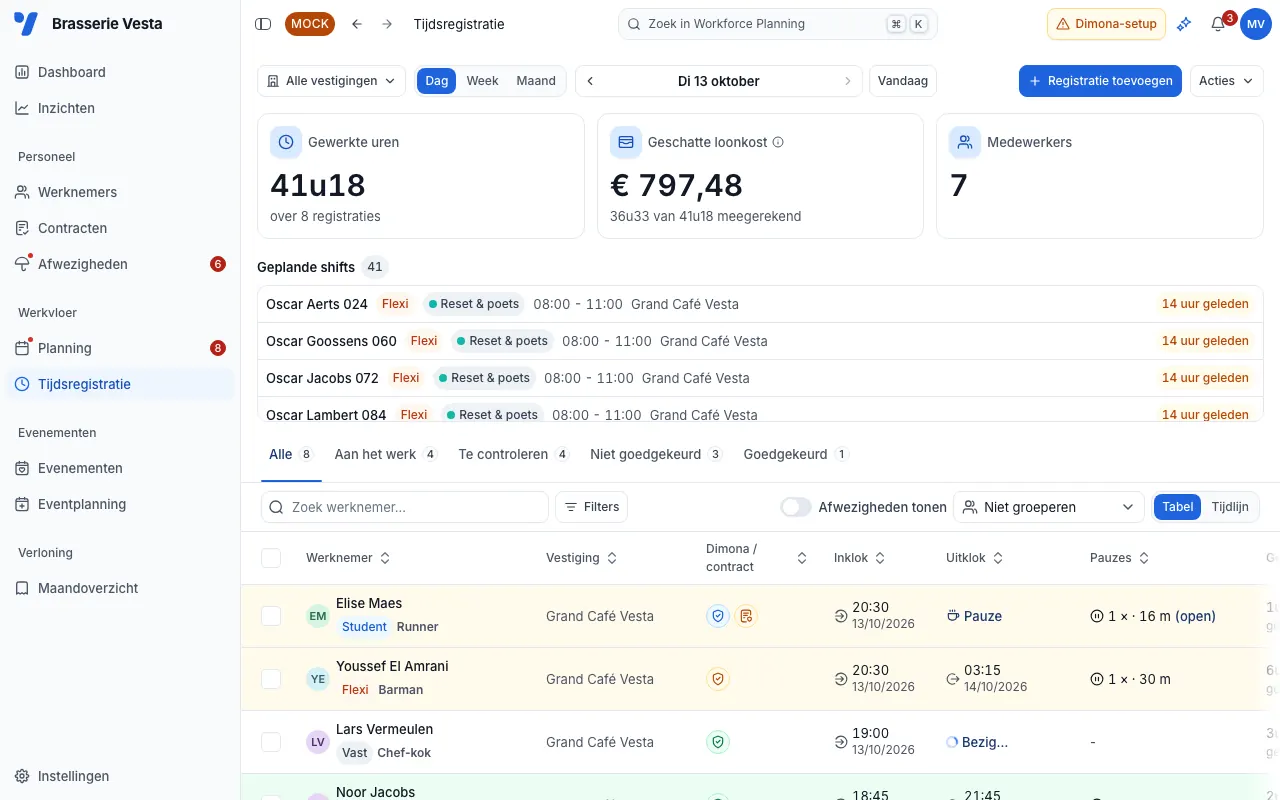
You have identified missing or unexpected hours to resolve.
Step 2 of 2
Open the payroll overview
Open Payroll → Monthly overview and check the displayed month.
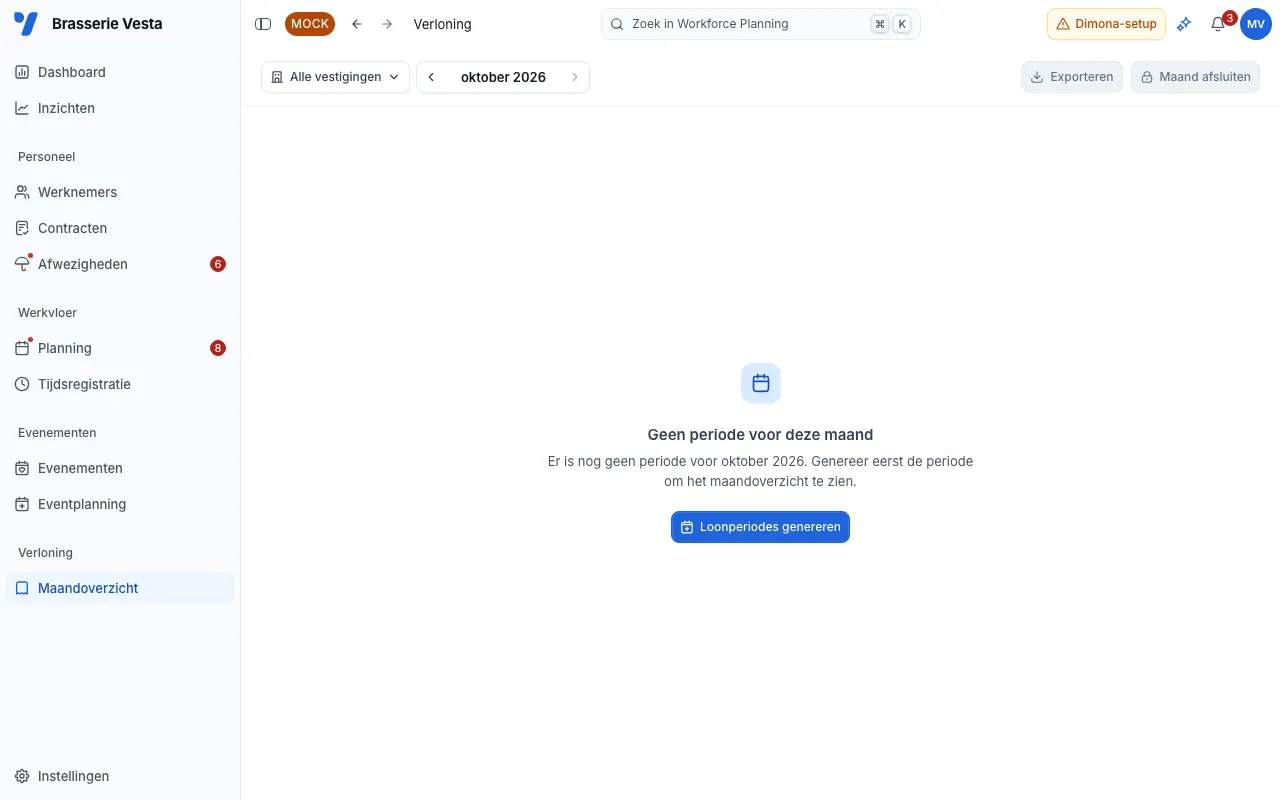
If no period exists for that month, ask the colleague responsible for payroll to prepare it before reviewing results.
Generated accountancy files appear in Documents. The wage codes of a month open from the monthly overview. Both need your payroll and wage permissions.
Next: settings and access.