Review an employee and their contracts
Find the right employee, check their information and follow up on agreements.
Step 1 of 3
Find the employee
Open Staff → Employees. Search for the person you want to review.
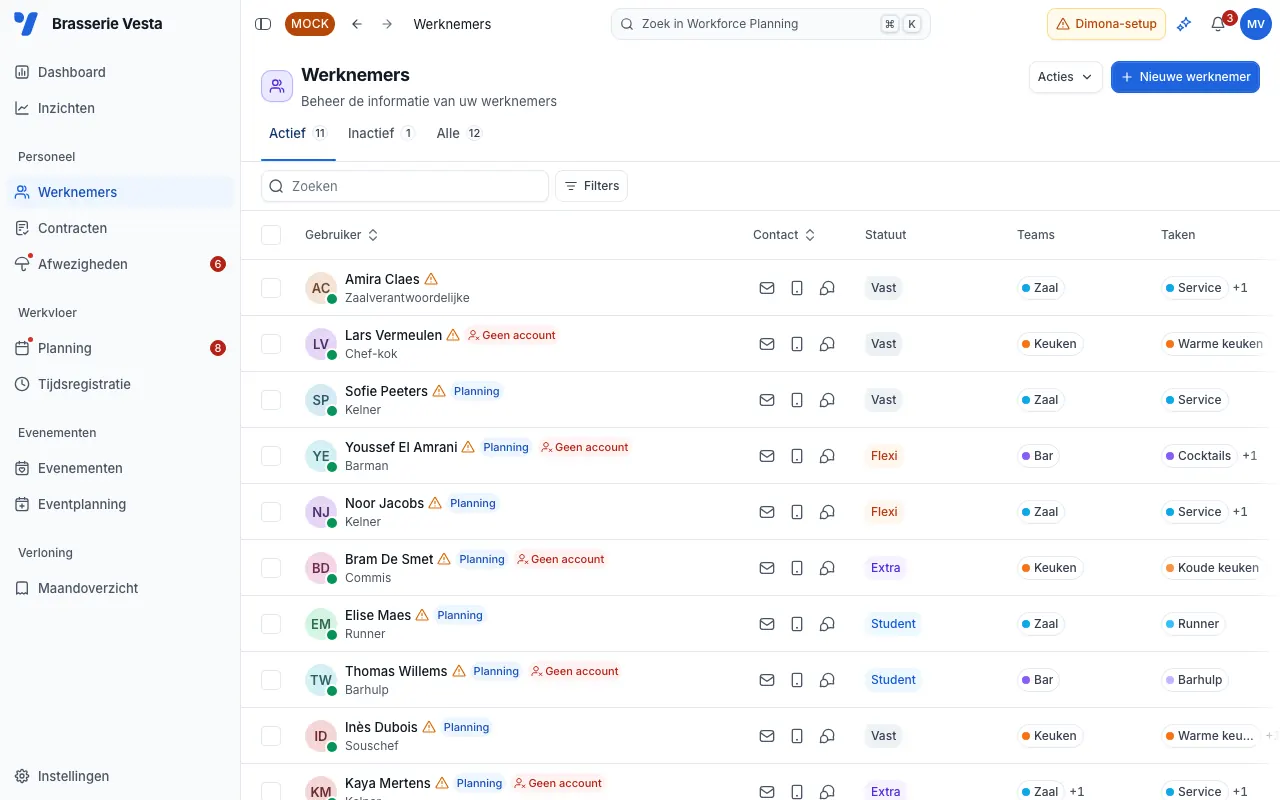
You have found the correct employee in the list.
Step 2 of 3
Open their record
Select the employee’s row to open their overview.
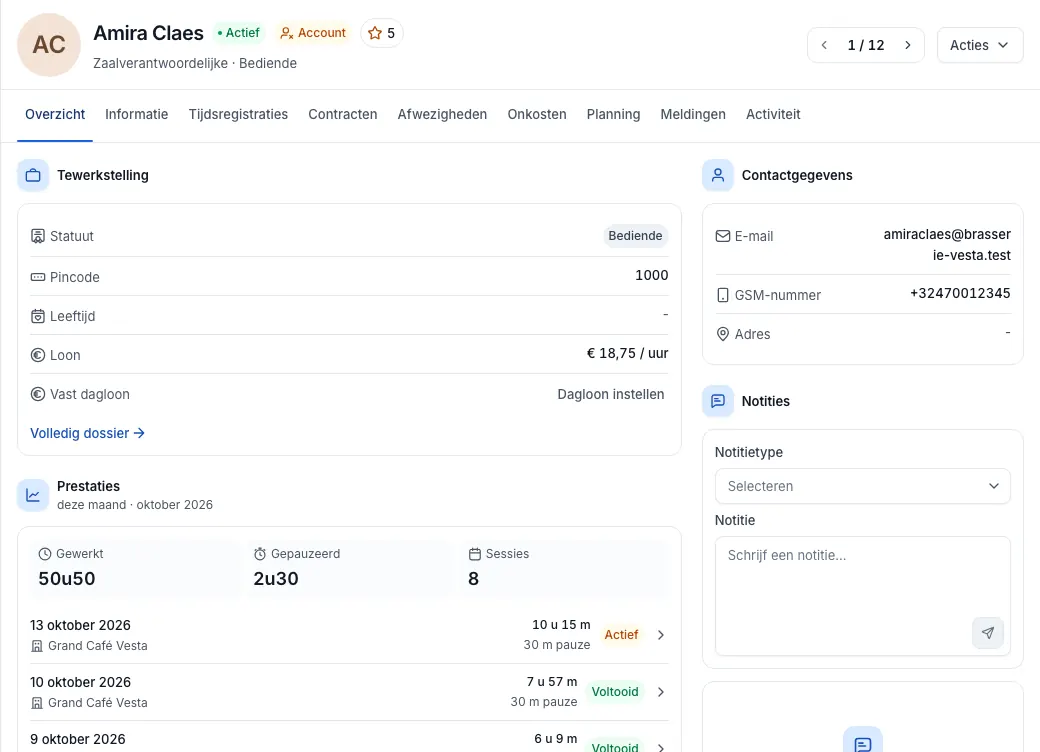
The employee’s name and information are shown together.
Step 3 of 3
Review their contracts
Open Contracts in the employee record. Check the agreement and dates you need.
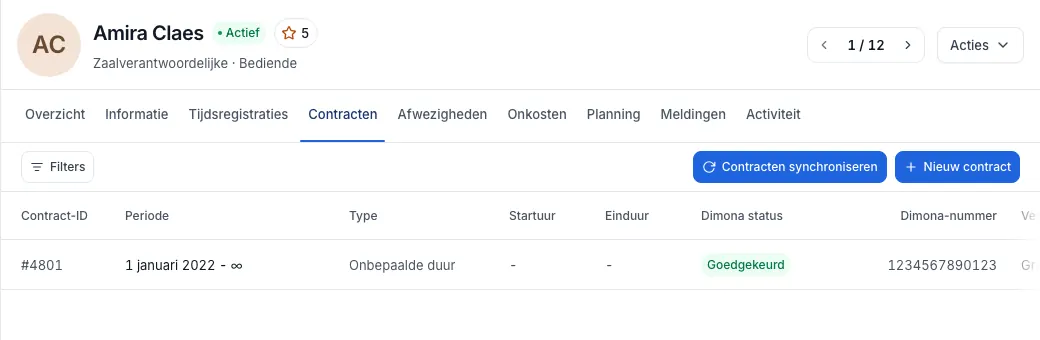
You can see which contract belongs to this employee.
Continue with planning and availability.